Superfast Printing with Your POS Printer!
POS Printers
MQTT compatible
For using Xootle, you'll need an MQTT printer or cloud box. POS printers come with a 1 to 4-year warranty. Most POS printers are thermal printers.
POS · PMS · Accounting · Channel Manager · Booking Engine
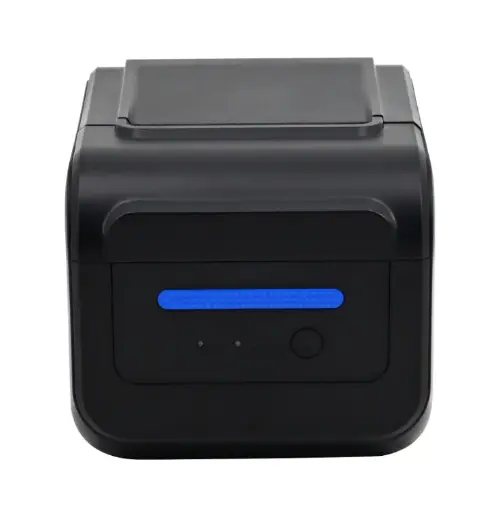
Xootle - POS Printer XR80F
-
Network printer
-
Thermal printer
-
80 and 58 mm paper
-
Ethernet - USB
-
With extra blue indicator light
-
220mm/s
-
203 DPI
-
Color: black
-
1-year warranty
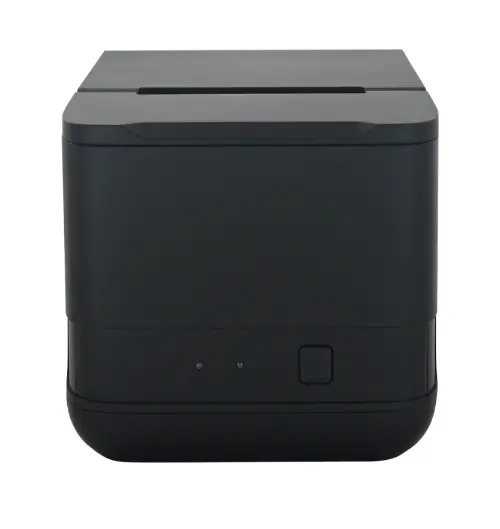
Xootle - POS Printer XR820
-
Network printer
-
Thermal printer
-
80 and 58 mm paper
-
Ethernet - USB
-
220mm/s
-
203 DPI
-
Color: black
-
1-year warranty
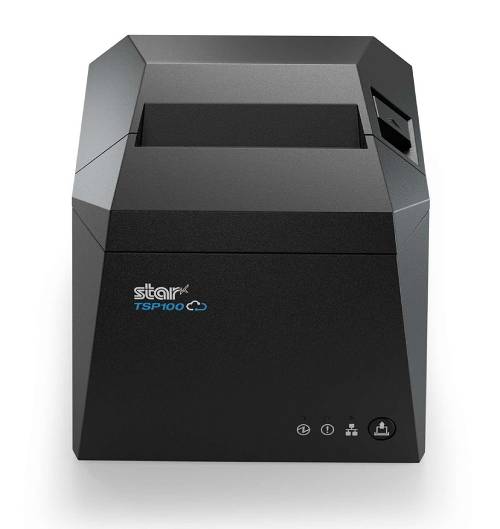
STAR - POS Printer
Price TSP143IV UE: €359.00 (including configuration)
Configuration via the printer
-
MQTT printer
-
Thermal printer
-
80 and 58 mm paper
-
USB – Ethernet – WiFi
-
Color: black
-
4-year warranty
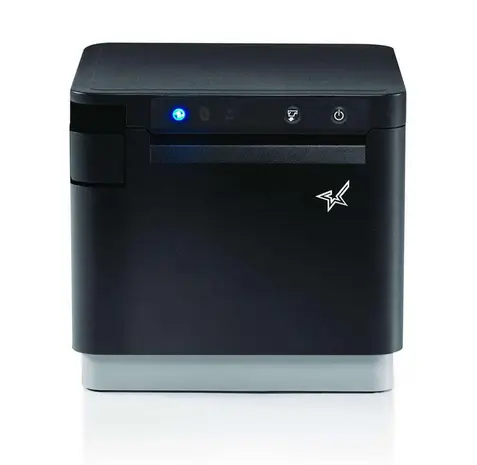
STAR - POS Printer
Price MCP31CI BK: €359.00 (including configuration)
Configuration via the printer
Configuration via the printer
-
MQTT printer
-
Thermal printer
-
80 and 58 mm paper
-
USB – Ethernet – WiFi
-
Color: black
-
4-year warranty
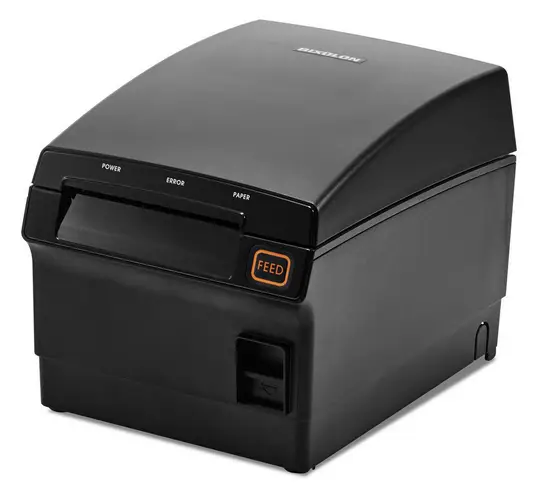
BIXOLON - POS Printer
Price SRP-F310II: €279.95 (including configuration)
Configuration via the printer
Configuration via the printer
-
MQTT printer
-
Thermal printer
-
80 mm paper
-
USB – Ethernet - WiFi
-
Color: black
-
Waterproof
-
2-year warranty
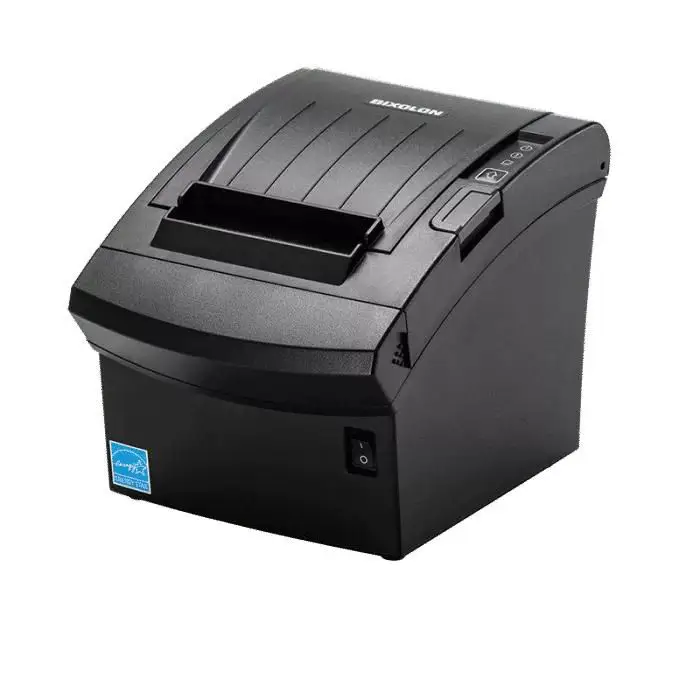
BIXOLON - POS Printer
Price SRP-350PLUSVEK: €279.95 (including configuration)
Configuration via the printer
Configuration via the printer
-
MQTT printer
-
Thermal printer
-
80 mm paper
-
USB – Ethernet
-
Color: black
-
2-year warranty
Delivery & Installation
1
General
Delivery times depend on our stock and the manufacturer's stock.
2
Printer Testing
Each printer is tested for at least 3 days by us. This might cause a slight delay, but it ensures more reliability.
3
Printer Configuration
Printer configuration is fully handled by us. There are no exceptions to this process.
4
True Plug & Play
Printers are delivered as plug & play. Simply connect the power and network cable, and the printer is operational!
5
Network Cable or WiFi?
We always recommend using a network cable connection. It's more reliable than WiFi.
6
WiFi Only Option?
If a wired connection isn't possible, we can set up the WiFi remotely. This is done at our hourly rate.
Shipping Costs
POS Printers
Practice and Emergencies
- Shipping costs: €17.50 for up to 6 printers
- Maximum delivery time: 2 to 4 weeks (if in stock, including configuration)
Practice and Emergencies
- In practice, the minimum delivery time is four working days due to testing and configuration.
- In emergencies, delivery is two days (if in stock), including configuration but without extensive tests.
Frequently asked questions
POS Printers
Frequently Asked Questions about MQTT and POS Printers
What is MQTT and why is it used for POS printers?
What is MQTT and why is it used for POS printers?
MQTT (Message Queuing Telemetry Transport) is a lightweight communication protocol designed for efficient and reliable data transfer, even in low bandwidth or unstable networks. For POS printers, MQTT ensures faster, more stable, and secure print jobs by handling messages directly and efficiently between the cash register and printer.
What are the advantages of MQTT over traditional printing methods?
What are the advantages of MQTT over traditional printing methods?
No drivers needed: Time-consuming driver installations are a thing of the past. Faster processing: Print jobs are forwarded instantly without delay. Reliability: Works even with network issues thanks to recovery features. Efficiency: Less network load and lower latency than traditional protocols like HTTP or RAW TCP. Security: Can use encrypted messages for secure data transmission.
How does MQTT work with POS printers?
How does MQTT work with POS printers?
The POS printer acts as an MQTT client and communicates with an MQTT broker (server). The register sends a print job as an MQTT message. The broker receives it and forwards it directly to the correct printer. The printer processes the message and confirms receipt. This setup allows multiple printers and register systems to communicate seamlessly across the same network.
Is MQTT safe for POS transactions?
Is MQTT safe for POS transactions?
Yes! MQTT supports SSL/TLS encryption and advanced authentication. This encrypts and secures print jobs, ensuring transaction data like customer and payment information remains protected.
What does the 3-day testing process entail?
What does the 3-day testing process entail?
We test each printer for at least three days before shipping it to you. We assess speed, print quality, and ensure the power supply doesn’t overheat during intensive use. This adds a slight delay, but guarantees your printer is ready and reliable. Quality upfront saves hassle later. We also stock tested printers for quick delivery if needed.
Are these thermal POS printers?
Are these thermal POS printers?
Yes! The MQTT POS printers use a thermal print head. They are long-lasting, quiet, fast, and require minimal maintenance as they don’t need ink or toner.
Which receipt printer suits my business type (café, restaurant, clothing store, food truck)?
Which receipt printer suits my business type (café, restaurant, clothing store, food truck)?
For most hospitality and retail businesses, an 80 mm thermal network printer is the standard: fast, quiet, and low-maintenance. In a restaurant, you might choose an additional kitchen or bar printer alongside the receipt printer. For a clothing store or specialty shop, one receipt printer at the register is usually enough. For a food truck or mobile setup, a more compact model (58 mm) is handy. If you're unsure, contact us and we'll guide you.
58 mm or 80 mm receipt roll: What should I choose?
58 mm or 80 mm receipt roll: What should I choose?
80 mm is the standard for hospitality and retail: it's wider, more readable, and has space for logos, tax lines, and QR codes. 58 mm is narrower and best for compact or mobile setups. Our XR80F and XR820 can handle both 80 and 58 mm, offering flexibility.
LAN, WiFi, or USB: Which connection is best for me?
LAN, WiFi, or USB: Which connection is best for me?
We recommend a wired network (LAN/Ethernet) connection: it's the most stable and reliable, especially during busy times. While WiFi is an option when wiring isn't feasible, it’s more prone to disruptions. USB suits a single register setup but still requires a network and the Cloudbox. When in doubt, go with LAN.
How many printers do I need (register + kitchen + bar)?
How many printers do I need (register + kitchen + bar)?
This depends on your workflow. Many restaurants use at least two: one receipt printer for guests and one kitchen printer for orders. If you have a separate bar or multiple pick-up points, an additional printer is often required. The advantage of our MQTT setup is that it easily supports multiple printers on the same network.
What is the difference between a receipt printer and a kitchen printer?
What is the difference between a receipt printer and a kitchen printer?
A receipt printer generates the customer receipt and is typically located near the register. A kitchen or note printer prints orders for the kitchen or bar. Functionally, they are often the same thermal printers; the difference lies in their placement and the routing (what we call a print group) of the print job.
Should I buy a new or refurbished POS printer?
Should I buy a new or refurbished POS printer?
A new printer offers the longest lifespan, full warranty (1 to 4 years with us), and the latest features like MQTT. Refurbished can be cheaper, but you won't know how much the print head has been used and the warranty is usually shorter. For a business-critical function like transaction processing, we recommend buying new.
What print speed (mm/s) do I really need?
What print speed (mm/s) do I really need?
For a quiet shop, a moderate speed is more than sufficient. In a busy café where things pick up during rush hours, you'll want a faster printer to prevent backup of receipts. Our XR models reach speeds up to 220 mm/s, which is more than adequate for nearly all hospitality and retail purposes. The amount of text lines being printed also plays a role; a long supermarket receipt differs from a cozy dinner for four.
Does this printer work with my register system?
Does this printer work with my register system?
Our MQTT printers and the Cloudbox are designed to work seamlessly with Xootle. If you use another register system, contact us with the name and version of your software, and we'll confirm compatibility before you order.
Is the printer compatible with iPad/Android registers?
Is the printer compatible with iPad/Android registers?
Yes. Since the print job is processed over the network (MQTT) and not via a fixed USB connection, the printer is compatible with modern registers on iPad, Android tablets, and PCs. No drivers are needed on the device itself.
Can I keep an existing (old) printer with Xootle?
Can I keep an existing (old) printer with Xootle?
Often, yes. Printers without built-in MQTT support can usually operate through our Cloudbox, which converts tasks into a format your printer understands (like ESC/POS). Send us the brand and model and we'll let you know if it's possible.
Do I absolutely need a Cloudbox, or can I print directly?
Do I absolutely need a Cloudbox, or can I print directly?
This depends on the printer. Our MQTT printers (like the STAR and BIXOLON models) communicate directly without needing a Cloudbox. For printers without MQTT, or setups with multiple devices, the Cloudbox acts as a bridge.
Can the printer work with multiple registers simultaneously?
Can the printer work with multiple registers simultaneously?
Yes. Via MQTT, multiple registers can send print jobs to the same printer, and one register can control multiple printers. Messages are handled orderly, even with simultaneous use.
Can I use the same printer across multiple locations?
Can I use the same printer across multiple locations?
The printers are suited for setups spanning multiple locations. Each site will have its own network configuration. If you want centralized management for multiple sites, we're happy to help plan it out. So yes, it's possible.
How do I connect the printer myself if 'plug & play' doesn’t work?
How do I connect the printer myself if 'plug & play' doesn’t work?
Our printers come fully configured and tested; just plug in the power and network cables for operation. If you have issues, first check that both cables are securely connected and the network is active. If problems persist, our support team is ready to assist.
What happens to the printer during internet or network outages?
What happens to the printer during internet or network outages?
MQTT is specifically designed for reliability in fluctuating networks and offers recovery functions. If the connection drops temporarily, tasks are queued where possible for processing once the connection is restored. A wired connection minimizes the chances of interruptions.
How do I configure the printer remotely?
How do I configure the printer remotely?
For wired connections, we usually handle configuration in advance and maintain it. If WiFi is the only option, we can set it up remotely at our hourly rate. You don't need to perform any technical actions yourself.
What size receipt rolls fit this printer (dimensions)?
What size receipt rolls fit this printer (dimensions)?
For an 80 mm printer, use thermal rolls 80 mm wide; for the narrow setup, use 58 mm. Check the roll and core diameter to ensure it fits the compartment. Unsure of the correct size? We’re happy to advise and supply matching rolls.
Is thermal receipt paper BPA-free and how do I choose that?
Is thermal receipt paper BPA-free and how do I choose that?
Since 2020, thermal paper in the EU must be BPA-free. Preferably choose paper that is explicitly phenol-free (BPA and BPS-free); it's better for employees and the environment. The rolls we supply meet these standards.
How much does a receipt printer cost per month in usage?
How much does a receipt printer cost per month in usage?
Monthly costs mainly consist of receipt rolls and a negligible amount for power; thermal printers don’t use ink or toner. Actual costs depend on your transaction volume, but generally, usage costs are low.
Are there any subscription or license fees beyond the printer?
Are there any subscription or license fees beyond the printer?
The printer itself is a one-time purchase. Any costs for the Xootle platform or Cloudbox are separate from the printer; check our pricing page for details. This way, you know exactly what to expect upfront.
Is configuration always included in the price?
Is configuration always included in the price?
For the STAR and BIXOLON models, configuration is included in the listed price. For XR models, configuration is handled via the Cloudbox. Each product page specifies what's included for each model.
Can I lease a printer or pay in installments?
Can I lease a printer or pay in installments?
Unfortunately, this is not possible. Hardware must be paid for upfront. However, we can offer you the option to pay in installments through specific payment providers. This would be an agreement between you and the payment provider.
What is covered by the 1–4 year warranty?
What is covered by the 1–4 year warranty?
The warranty covers manufacturing and hardware defects. Wear and tear from normal use, damage from incorrect paper, moisture, or misuse is typically excluded. The exact warranty period varies by model (1 to 4 years) and is listed with the product.
Are print jobs involving customer or payment data secure?
Are print jobs involving customer or payment data secure?
Yes. MQTT supports SSL/TLS encryption and authentication, ensuring that print jobs are transmitted securely and encrypted. This is crucial for transactions to protect customer and payment data.
Can someone on the network see what is being printed?
Can someone on the network see what is being printed?
With a properly configured, encrypted connection, unauthorized viewing is not easily possible. Use a private, secure network instead of an open guest network to keep communication protected.
Can I return printers if I’m not satisfied?
Can I return printers if I’m not satisfied?
Contact us to discuss return options and conditions. Since printers are tested and configured before dispatch, we’ll clarify the applicable terms for your order beforehand.