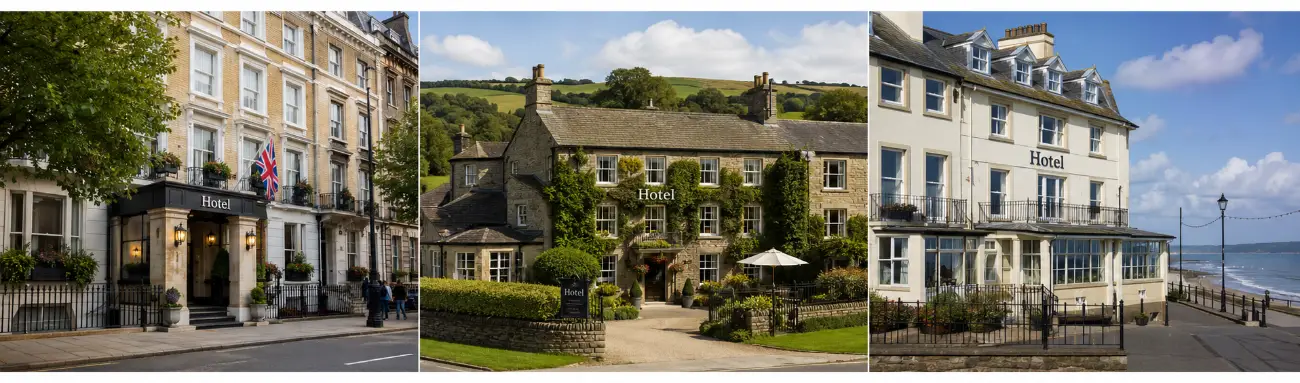
Multi-property Reservation System
A multi-property system for organizations, both small and large hotel chains, and cooperative networks. All locations interconnected, easy to use and multifunctional. Managing 5 or more locations? Then Xootle Connect is the solution for you.
- 25+
- years of software experience
- 14+
- integrated packages
- 24/7
- human support
- €0
- hidden costs

More Control, Less Work
Manage All Your Locations From a Single Platform
If you're running more than one property, be it a hotel group, a chain of B&Bs, multiple holiday parks or a combination of locations then you'll be familiar with the issues: disparate systems per location, duplicate entries, fragmented reports and an inability to see the bigger picture.
A multi-property reservation system can solve these problems. Manage bookings, availability, rates, payments and administration for all your locations from a central login. With Xootle's multi-property system, you can do more than just manage reservations; booking, POS and accounting are all integrated on the same platform.
A multi-property reservation system can solve these problems. Manage bookings, availability, rates, payments and administration for all your locations from a central login. With Xootle's multi-property system, you can do more than just manage reservations; booking, POS and accounting are all integrated on the same platform.
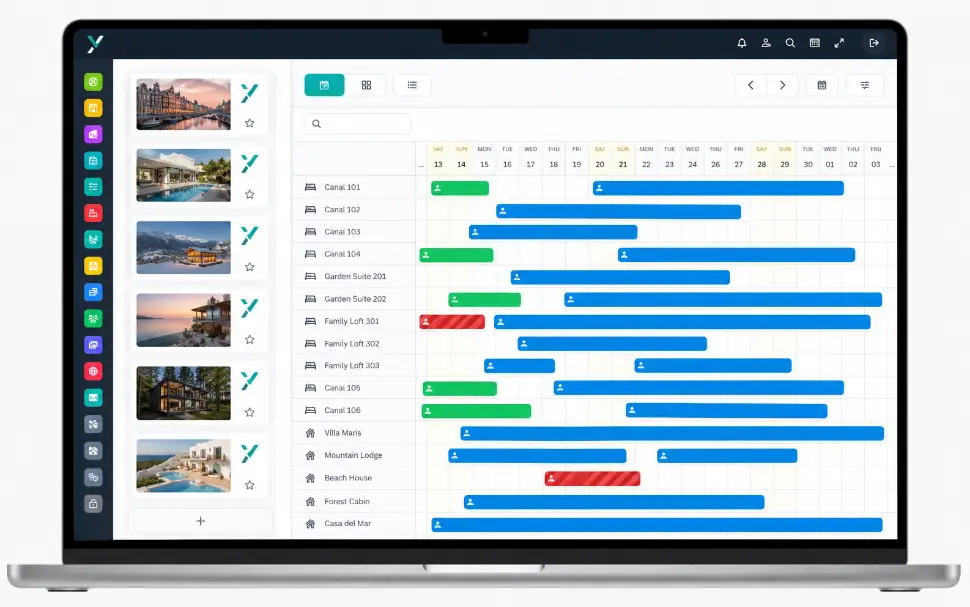
What is a Multi-property Reservation System?
A multi-property reservation system is software that enables you to manage multiple accommodation properties or locations from one centralised platform.
There is no need to use a separate system for each location. All bookings, guest details, rates and results are clearly organised in one place. Staff can continue to work within their own location while management can easily oversee everything. This enables you to compare locations, generate reports and implement consistent procedures throughout your organisation.
There is no need to use a separate system for each location. All bookings, guest details, rates and results are clearly organised in one place. Staff can continue to work within their own location while management can easily oversee everything. This enables you to compare locations, generate reports and implement consistent procedures throughout your organisation.
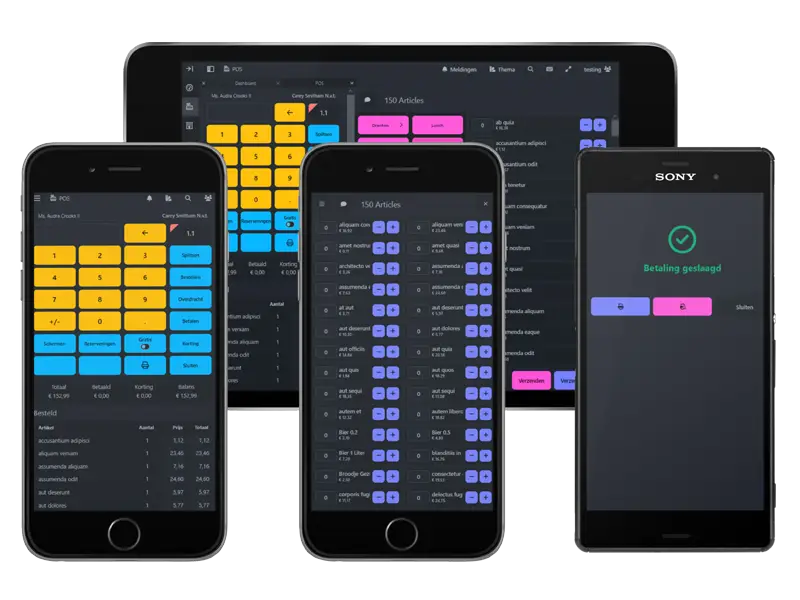
POS System for Hospitality
The cloud-based POS system can be used on tablets, smartphones and desktops. Each location can process payments in the most suitable way, whether that's at the counter, in the restaurant, at the bar or in the shop. Orders are automatically sent to the correct destination, such as kitchen or bar printers or the collection point.
The payment terminal is directly linked to the POS system, eliminating the need for amounts to be entered twice. You can configure a distinct POS system for each location, complete with unique departments, menus, printers and VAT settings. Meanwhile, you can maintain a central overview across all sites.
The true advantage lies in the linkage between reservations and the POS system. If a guest is staying at one of your sites, you can easily charge them for meals, drinks or extra services on their room bill. At checkout, everything is itemised on a single invoice. Revenue from the POS is automatically processed in the same accounting system as accommodation revenue, with the correct VAT rate applied to each location. This saves time and reduces the chance of errors.
The payment terminal is directly linked to the POS system, eliminating the need for amounts to be entered twice. You can configure a distinct POS system for each location, complete with unique departments, menus, printers and VAT settings. Meanwhile, you can maintain a central overview across all sites.
The true advantage lies in the linkage between reservations and the POS system. If a guest is staying at one of your sites, you can easily charge them for meals, drinks or extra services on their room bill. At checkout, everything is itemised on a single invoice. Revenue from the POS is automatically processed in the same accounting system as accommodation revenue, with the correct VAT rate applied to each location. This saves time and reduces the chance of errors.
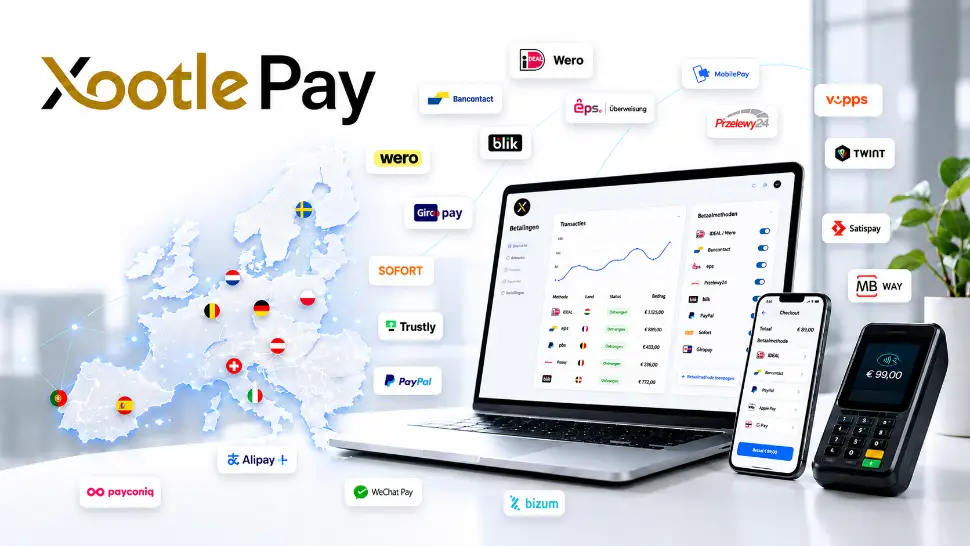
Payments and Administration in the Same System
This is where Xootle really shines. Reservations, point-of-sale transactions and bookkeeping all work seamlessly within one system. You can handle payment requests, deposits and outstanding amounts centrally.
Everything is automatically linked to the correct invoices and administration. With built-in accounting, there's no need to manually transfer revenue and VAT data between different programmes. This greatly reduces errors and saves time, particularly when dealing with multiple locations.
Everything is automatically linked to the correct invoices and administration. With built-in accounting, there's no need to manually transfer revenue and VAT data between different programmes. This greatly reduces errors and saves time, particularly when dealing with multiple locations.
All Building Blocks. Seamlessly Connected
Central management of all your locations.
FAQ
Frequently Asked Questions About Xootle Connect
Is it possible to set different VAT rates for different locations?
Is it possible to set different VAT rates for different locations?
Yes. Each property can apply its own VAT rates. This is important because different types of accommodation and services may be subject to different taxes. Set the correct percentage for each property and accommodation type to ensure that new bookings use it automatically.
How do I handle a VAT increase across multiple locations at once?
How do I handle a VAT increase across multiple locations at once?
You set the new rate centrally, assigning it an effective date. From this date onwards, all locations apply the correct percentage to bookings. Do you have locations with different rates, for example 9% and 21%, due to factors such as breakfast or exempt rentals? In this case, you can specify which rate applies to each accommodation without needing to reconfigure each site individually.
Can the system recognise the same guest booking across multiple locations?
Can the system recognise the same guest booking across multiple locations?
Yes. Guest profiles are stored centrally, enabling you to recognise a returning guest at any of your locations. This allows you to reward loyalty, transfer preferences to other sites and prevent duplicate profiles. Guests must have created an account in the guest portal and consented to being recognised at different locations.
Is it possible to automatically offer an alternative location from the same chain if one location is fully booked?
Is it possible to automatically offer an alternative location from the same chain if one location is fully booked?
Yes. Since the availability of all your locations is in one system, you can immediately see where there is still room and offer the guest an alternative within your own organization. This keeps the booking within your portfolio rather than losing it. Technically, each location has its own database and security. Xootle Connect makes it possible for you to use it centrally.
Is it possible to link separate accounting ledger accounts to each location?
Is it possible to link separate accounting ledger accounts to each location?
Yes, you can link each location to its own ledger accounts and cost centres while still having access to consolidated figures. As the bookkeeping is all done on the same platform, there's no need to transfer revenue manually between separate systems.
How is billing handled when a guest stays at more than one location on the same trip?
How is billing handled when a guest stays at more than one location on the same trip?
You can either bill stays separately for each location, or bundle them into a single overview for the guest if desired. The underlying revenue will still be assigned to the correct location for accounting and VAT purposes.
Is it possible to allocate software costs to each location internally?
Is it possible to allocate software costs to each location internally?
Yes, since revenue, costs and usage are transparent for each location, you can apply an internal allocation key to pass on costs for each location. This is particularly useful for franchises or management structures.
Does the system support a management or franchise model, with each location having its own owner?
Does the system support a management or franchise model, with each location having its own owner?
Yes, you can link owners or partners to each location, giving them access to their own environment and settlements, including agreed commissions. Owners can view their occupancy, arrivals and revenues, but not the rest of the portfolio.
If my locations are in different countries, can I use a different currency for each one?
If my locations are in different countries, can I use a different currency for each one?
Yes, as well as multilingual options and guest currencies, you can set the base currency and local payment methods for each location. This enables foreign sites to settle and book in the correct currency.
What happens to my data if I sell or close a location?
What happens to my data if I sell or close a location?
Data from a specific location can be exported separately. You can transfer or archive reservation, guest and financial data from that location without affecting your other sites. You can also disconnect the location so that the new owner can continue working seamlessly.
Is it possible to temporarily (seasonally) close a location without removing the entire setup?
Is it possible to temporarily (seasonally) close a location without removing the entire setup?
Yes, you can block availability for a period of time while preserving the rates, links and settings, so that you can reopen immediately next season.
Will the system work if I mix different types of accommodation in my locations, such as hotel rooms, campsites and apartments?
Will the system work if I mix different types of accommodation in my locations, such as hotel rooms, campsites and apartments?
Yes, you can manage different types of property on the same platform. You can set up unique pricing structures, restrictions and check-in rules for each location and type.
Can an employee from location A use the same login to work at location B?
Can an employee from location A use the same login to work at location B?
Yes, via central user management. You can assign roles and permissions per location, which allows for stand-ins without granting access to irrelevant data.
How can I migrate existing bookings from separate systems for each location without creating any double bookings?
How can I migrate existing bookings from separate systems for each location without creating any double bookings?
The transition begins with a site-by-site inventory, followed by phased data migration and a coordinated 'go-live' date for each location. Only activating availability after checking prevents double or 'problem' bookings during the transition.
Is it possible to set prices centrally but allow local exceptions?
Is it possible to set prices centrally but allow local exceptions?
Yes. You can manage rate plans centrally and allow for deviations per location. For example, you could apply a surcharge during a local event or a seasonal rate applicable to just one site.
How should I handle the fact that tourist taxes differ from one municipality to another?
How should I handle the fact that tourist taxes differ from one municipality to another?
Set the local rate and calculation method for tourist taxes for each location. The system will then automatically account for this in the correct location, ensuring accurate payment and reporting for each municipality.
Is it possible to display local branding for each location, as well as an overarching brand page?
Is it possible to display local branding for each location, as well as an overarching brand page?
Yes, you can showcase a custom booking engine with unique branding for each site, as well as an overarching page where guests can first select a location.
What impact would adding dozens of locations have on speed and synchronisation?
What impact would adding dozens of locations have on speed and synchronisation?
As the platform is cloud-based, it can be scaled up without the need for local servers at each location. Availability and rates are synchronised centrally and in real time, even across multiple sites.
Can I export reports for my accountant, both for individual locations and consolidated?
Can I export reports for my accountant, both for individual locations and consolidated?
Yes. Generate reports for individual sites and for the whole organisation. You can also export them in various formats for importing elsewhere, which reduces the need for loose spreadsheets and manual consolidation. If Xootle Connect does not support your needs, we can almost always work something out together.
How do processor agreements under the GDPR work when my locations are legally separate entities?
How do processor agreements under the GDPR work when my locations are legally separate entities?
You can configure processing and retention periods correctly per entity. Central storage does not blur responsibilities: you can specify who is responsible for processing at each location or entity.
Can discount codes or a loyalty programme be used in all locations?
Can discount codes or a loyalty programme be used in all locations?
Yes, you can set up promotions and discount codes either portfolio-wide or restrict them to specific locations, depending on your commercial strategy.
Is it possible to set up a central waiting list or overflow system between locations?
Is it possible to set up a central waiting list or overflow system between locations?
Yes. Redirect requests that do not fit the first option to an alternative site or add them to a centrally managed waiting list.
How do cancellation and no-show policies differ depending on the location?
How do cancellation and no-show policies differ depending on the location?
Set cancellation and no-show terms for each location. Each site can maintain its own policy, while central management remains visible.
Is it possible to connect my existing POS system to each location?
Is it possible to connect my existing POS system to each location?
At Xootle, the POS is integrated into the same platform, meaning that reservations and payments are managed within a single environment for each location. Do you already have a POS system? Sometimes it is possible to connect, but the Xootle POS variant prevents double entry of bookings and POS data.
What is the difference between a standard and a multi-property reservation system?
What is the difference between a standard and a multi-property reservation system?
A standard reservation system only supports one location. Xootle Connect, on the other hand, links multiple accommodation, restaurant and site locations in one central environment. You can manage rates, users and reports centrally while comparing performance per site and retaining the flexibility of each individual location.
Get Started with Xootle Connect
Tell Us What You Need
All requests are handled confidentially.
< 1 day
Response to Your Inquiry
Immediate
Contact with the Right Person
Kind regards
Made in Europe
Hosted in Europe