25+ Years of Web Hosting Experience
Create a Website
€4.95/month incl. domain name
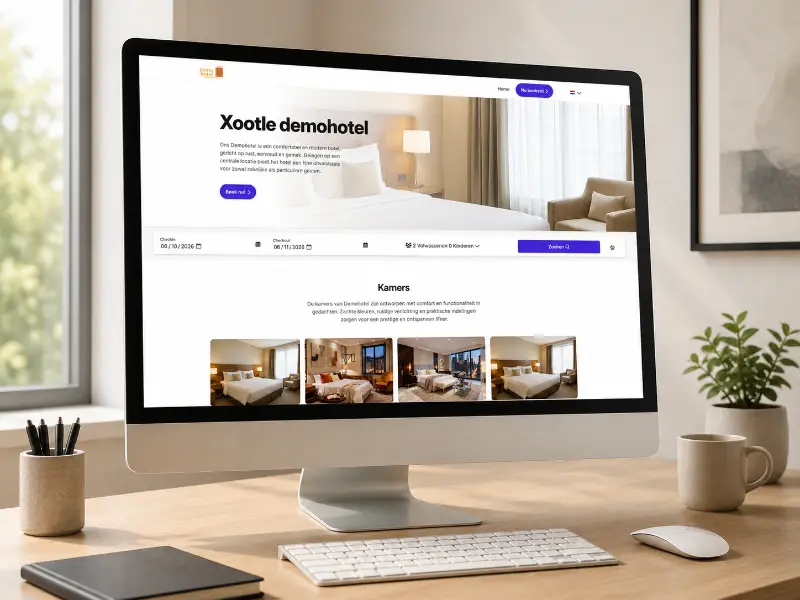
Effortlessly create a website using our CMS platform. No hassle with plugins or themes. Just enter your details, pick the colors, and choose the photos.
Now you have a website that updates automatically!
Now you have a website that updates automatically!
POS · PMS · Accounting · Channel manager · Booking engine
Xootle CMS
- 1,000+
- options
- 10+
- integrations
- 24/7
- support
- €4.95 p/m
- incl. domain name
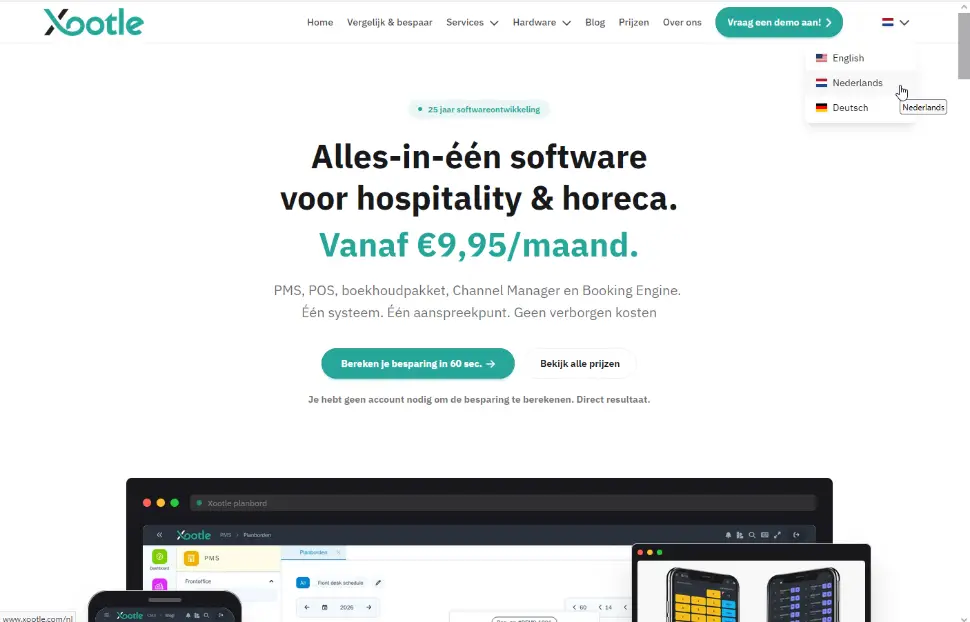
Fully Multilingual
Xootle CMS features a multilingual system, allowing you to decide if a page is available in another language. It is super simple to present your pages in multiple languages.
You don't have to, but you can, and at no extra cost!
With Xootle AI, you can translate your pages with just one click. The website you are viewing now is also made with our CMS system.
You don't have to, but you can, and at no extra cost!
With Xootle AI, you can translate your pages with just one click. The website you are viewing now is also made with our CMS system.
How Does Xootle CMS Work?
How does Xootle CMS work?
In one word: effortlessly.
You can also prepare pages in advance and publish them later.
Want to check the spelling of your website?
No problem. With Xootle AI, you can review and adjust page spelling.
In one word: effortlessly.
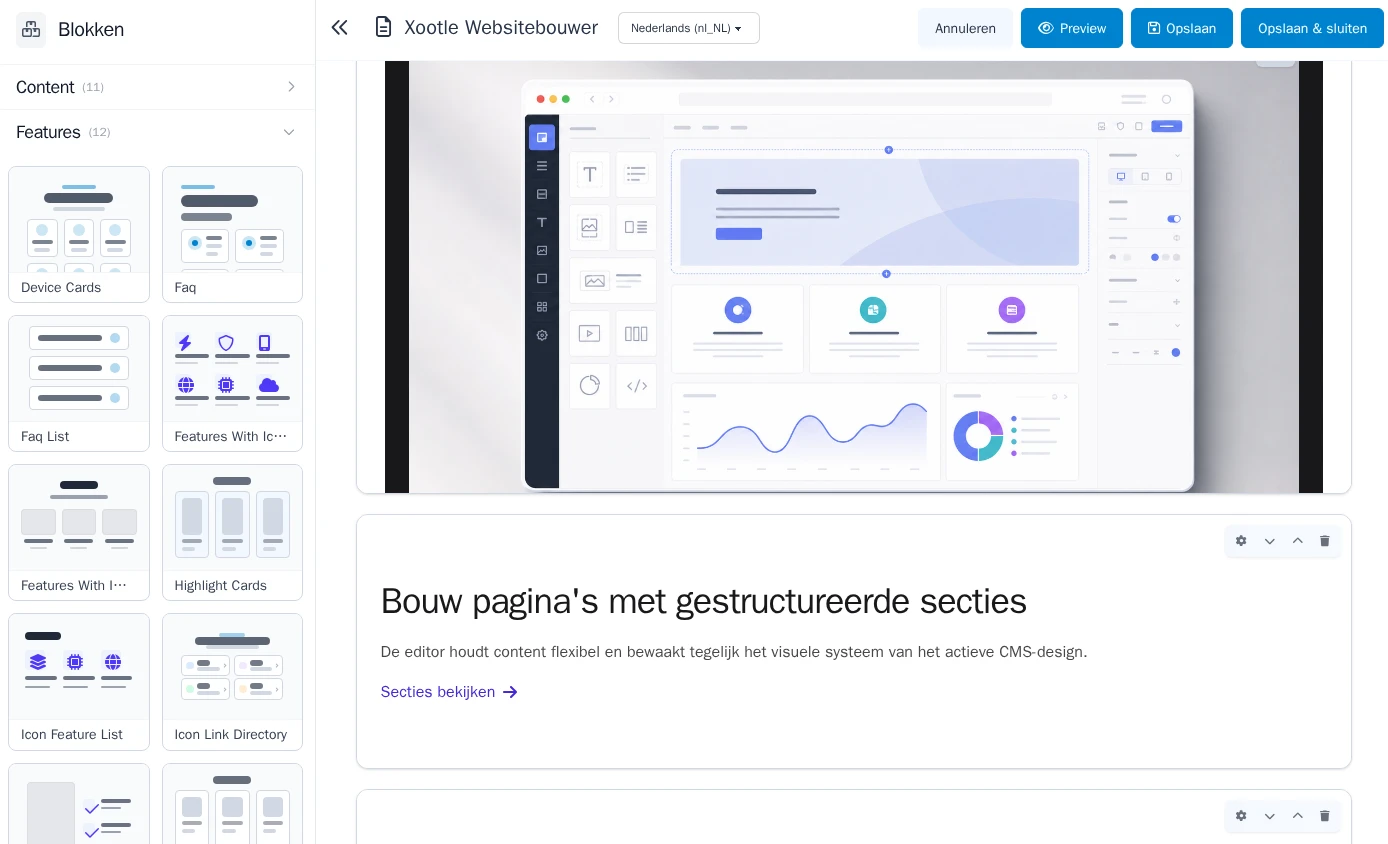
- Create a page.
- Choose from different blocks within the page.
- Add photos from these blocks.
- Type your text and hit save.
You can also prepare pages in advance and publish them later.
Want to check the spelling of your website?
No problem. With Xootle AI, you can review and adjust page spelling.
Is the CMS Suitable for AI Search Engines?
Yes, Xootle CMS is optimized for AI search engines. A special page is created with crucial information for AI search engines.
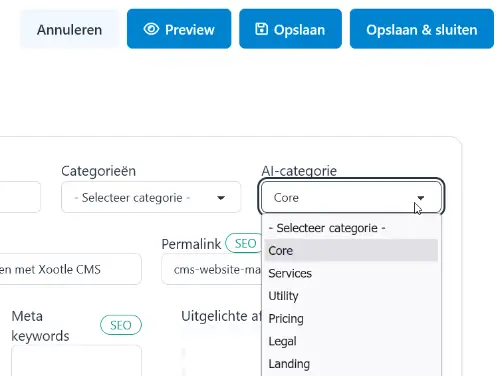
You can determine the AI category for each page, such as a core page, which is vital for your website. For a pricing page, the category would be “prices.”
The CMS offers several default categories, but you can expand them as needed.
You can determine the AI category for each page, such as a core page, which is vital for your website. For a pricing page, the category would be “prices.”
The CMS offers several default categories, but you can expand them as needed.
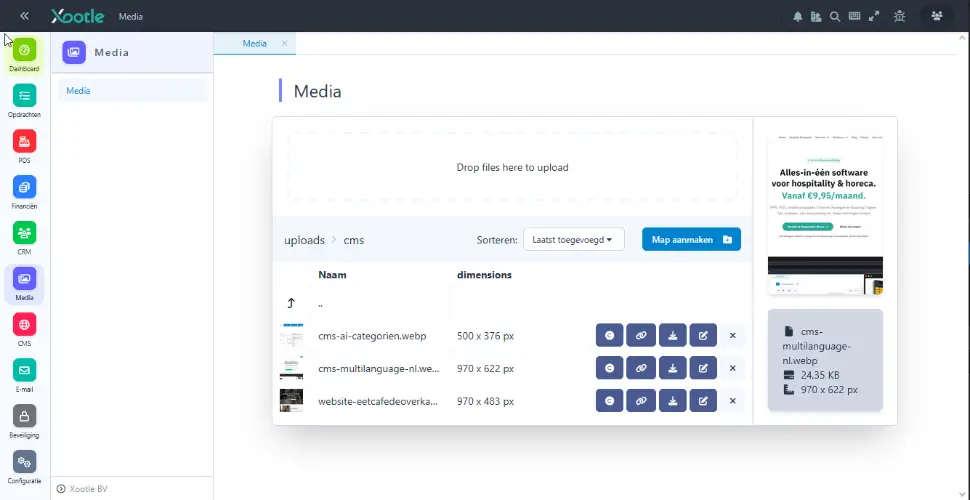
Upload Media
Manage all your website files effortlessly from one central location with the media browser.
Upload photos, logos, and PDF files, and use them instantly on your pages. This way, you always have quick access to your own images and documents, no technical knowledge required.
Everything is stored neatly, allowing you to easily find and reuse your files.
Upload photos, logos, and PDF files, and use them instantly on your pages. This way, you always have quick access to your own images and documents, no technical knowledge required.
Everything is stored neatly, allowing you to easily find and reuse your files.
Frequently Asked Questions
Frequently Asked Questions About CMS
What legal pages are required on a website?
What legal pages are required on a website?
For almost every business site, a privacy statement is necessary, and if you're using tracking cookies, you also need a cookie policy and banner. If you're selling something, terms and conditions are highly recommended and often required. As a rule of thumb: if you're collecting personal data (even via a contact form), you need a privacy statement.
Do I need to display my Chamber of Commerce and VAT numbers on my website?
Do I need to display my Chamber of Commerce and VAT numbers on my website?
As an entrepreneur, you're required to display your business details, including your Chamber of Commerce number, clearly on your site, and your VAT ID must be accessible. A good place for these is the footer or your contact/about page.
Does my website automatically comply with GDPR?
Does my website automatically comply with GDPR?
No. A CMS handles the technical side, but GDPR compliance is your responsibility: having a correct privacy statement, obtaining consent before placing tracking cookies, and handling form data carefully. Don't process more data than necessary.
Do I need a cookie banner and how do I set it up correctly?
Do I need a cookie banner and how do I set it up correctly?
Only if you place non-functional cookies (analytics, marketing, social embeds) do you need a consent banner. Important: tracking can only start after active consent, a banner that just "informs" is not sufficient. Purely functional cookies don't need consent.
Is my website required to be accessible (WCAG)?
Is my website required to be accessible (WCAG)?
More organizations are facing legal accessibility requirements; since 2025, European demands have tightened for many commercial services. Even if it's not (yet) mandatory for you, accessibility expands your reach and SEO. Think of adequate color contrast, alt texts, and keyboard operability.
Who owns my website and can I switch providers later?
Who owns my website and can I switch providers later?
Yes, the content is yours, but the design belongs to Xootle or a third party. You can switch providers anytime, and we will handle the export of all data.
What happens to my website if the provider shuts down?
What happens to my website if the provider shuts down?
If a builder shuts down, it can mean your site goes offline. Protect yourself: register your domain under your name (not theirs), keep your texts and images separately, and choose a platform with an export function where possible. With Xootle, you're in good hands. The company handling the hosting has been around for more than 25 years.
How can I move an existing website without losing visitors and SEO?
How can I move an existing website without losing visitors and SEO?
First, list all your current URLs. On the new site, set up 301 redirects from old to new addresses, keep your main texts and titles unchanged, and submit a new sitemap via Google Search Console. This helps maintain your rankings.
What is an SSL certificate and do I need one?
What is an SSL certificate and do I need one?
Yes. An SSL certificate ensures the padlock and https://, encrypts data, and serves as a trust and ranking factor. Almost all modern builders and hosts include it for free; always enable it. With Xootle, SSL is always on and cannot be disabled.
How do I manage backups and what should I do if my site is hacked?
How do I manage backups and what should I do if my site is hacked?
With builders, backups are usually automatic; with WordPress, you manage them via a plugin or your host. Make at least a weekly backup. If hacked: temporarily take the site offline, restore a clean backup, change all passwords, and update all software. Xootle has its own CMS and manages the backups.
How do I actually get on Google once my site is ready?
How do I actually get on Google once my site is ready?
Being online doesn't mean being found. Sign up for Google Search Console, submit a sitemap, give each page a unique title and meta description, use relevant keywords in your headings, and gradually build relevant content and links. Results usually take weeks to months to appear.
How do I measure if my website is working?
How do I measure if my website is working?
Install an analytics tool (consider a privacy-friendly one) and don't just look at visitor numbers; focus on conversions: how many visitors contact you, order, or sign up. That tells you if your site is achieving its goal.
How many pages does my website need at a minimum?
How many pages does my website need at a minimum?
For a simple business website, four to six pages often suffice: home, about us, services/products, contact, and the mandatory legal pages. Start small and expand based on what visitors search for; better to have five solid pages than twenty sparse ones.
How do I create a multilingual website?
How do I create a multilingual website?
Many builders have a built-in language switcher; with WordPress, you use a multilingual plugin. Important for SEO: give each language its own URL and use hreflang tags so Google shows the right version to the right visitor. Avoid automatic machine translation without proofreading. With Xootle, multilingualism is standard.
What's the difference between a website and a webshop, and can I expand later?
What's the difference between a website and a webshop, and can I expand later?
A website informs; a webshop sells and needs a cart, payment methods, and order processing. Most builders and WordPress allow you to expand a regular site with shop features later, so you don't have to decide on everything upfront. With Xootle, you can add a shop fully integrated with your administration and inventory management.
Can I get an email address with my own domain name?
Can I get an email address with my own domain name?
Yes, and it's recommended for a professional appearance (info@yourbusiness.com rather than a gmail address). Most hosting and builder packages include at least one domain email or offer it for a small extra fee. With Xootle, email accounts cost a few extra euros.
How often should I maintain my website?
How often should I maintain my website?
A website requires periodic maintenance for texts, prices, and images. This is essential for your visibility and image.
Are AI website builders reliable and is their content unique?
Are AI website builders reliable and is their content unique?
AI builders quickly provide a neat foundation, but the generated texts aren't always unique or accurate. Use them as a starting point and always edit yourself: fact-check, personalize the tone, and check for duplicate content, as Google values original material.
How do I prevent duplicate versions of my site (www vs. non-www, http vs. https)?
How do I prevent duplicate versions of my site (www vs. non-www, http vs. https)?
Choose one preferred version and automatically redirect the other with a 301 redirect, and set a canonical tag. This prevents Google from seeing two versions of the same page, which could weaken your ranking. Good builders handle this automatically. With Xootle, we always use the www version as it benefits future-proofing.
What if my desired domain name is already taken?
What if my desired domain name is already taken?
Try a variation (a different extension like .com/.eu, or an addition like your city name), or see if the owner is willing to sell. Avoid confusing spellings and hyphens, as these are hard to communicate and undermine trust.
How do I protect my brand or business name when registering a domain?
How do I protect my brand or business name when registering a domain?
Register the main variations and extensions of your domain to prevent misuse, and check the trademark registry in advance to avoid infringing on existing trademarks. Always register the domain under your own or your company's name.
Can I manage my website myself without a specialist?
Can I manage my website myself without a specialist?
Yes. That's the advantage of Xootle: you can make daily updates (texts, photos, prices, news) yourself via a visual editor. Only for more complex tasks might you occasionally need help.
Do I need programming knowledge to create a website?
Do I need programming knowledge to create a website?
No. With a drag-and-drop website builder, you can create a professional site without any coding. Programming knowledge is only needed for custom work or very specific features.
What does it cost to build a website yourself?
What does it cost to build a website yourself?
With a website builder, you pay about € 5.00 to € 25.00 per month, including hosting and domain. With Xootle, you pay € 4.95 for a multilingual website, including a domain name.
Made in Europe
Hosted in Europe